Moonvalley
Dec, 2024 - Now
Project overview
What is it?
Moonvalley is a generative video creation and editing tool built for professional filmmakers and studios. It enables creators to generate, edit, and iterate on cinematic shots using AI, while maintaining creative control through visual inputs and production-ready workflows.
Motion transfer
Trajectory control
Camera control
Pose control
Role
As sole product designer, I led end-to-end product design across UX direction, information architecture, interaction design, and visual design. I collaborated closely with the project manager, CEO, AI team, and engineers.
Design goal
The goal is to design a generative video tool that filmmakers can trust and control, integrating AI into real production workflows through visual inputs, granular editing, and professional-grade usability.
Outcome
Launched a production-ready generative video platform Moonvalley across desktop and mobile after three major design iterations, supporting paid users and a strategic integration with Adobe.
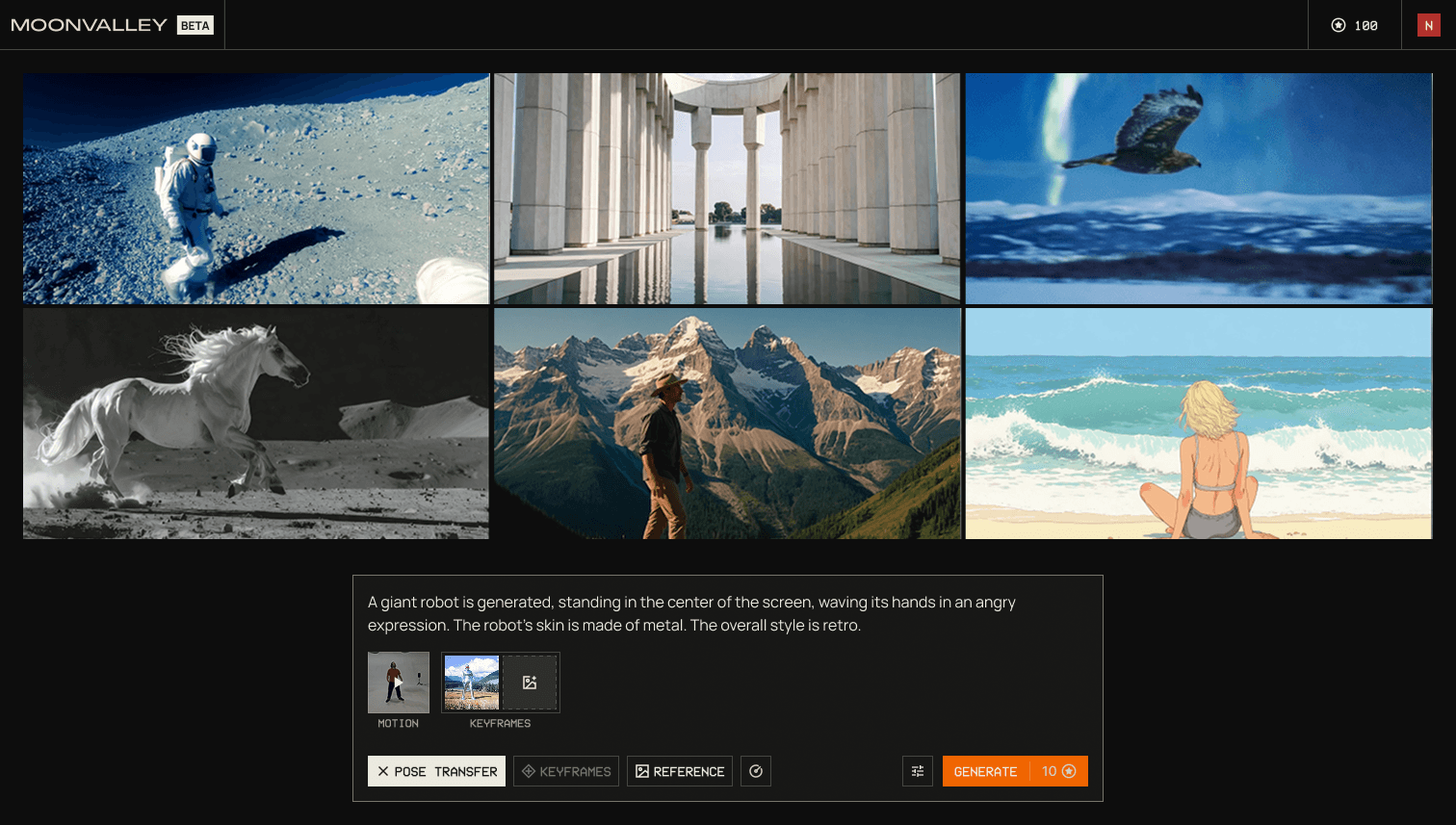
Gallery + Generation flow
Design challenge
Generative video tools were powerful but impractical for professional filmmaking. Most products focused on single-prompt outputs with limited control, poor predictability, and workflows that didn’t reflect how films are actually made.
The challenge was to translate advanced generative models into usable, production-ready software, enabling filmmakers to explore ideas, iterate on shots, and organize assets in a way that fits real creative workflows.
At same time, AI capabilities, quality, speed, and cost were still evolving, making it difficult to define stable workflows. High expectations from internal filmmakers and leadership had to be balanced with limited time and team capacity.
Design process
Early research and exploration
In the earliest phase, product requirements were still undefined and model capabilities were evolving. The AI team was exploring what the technology could support, and there were few concrete constraints.
To work effectively within this uncertainty, I designed a simple, familiar UX flow that could flex and scale as capabilities became clearer. This allowed the team to align quickly, test ideas early, and iterate in parallel with model development.
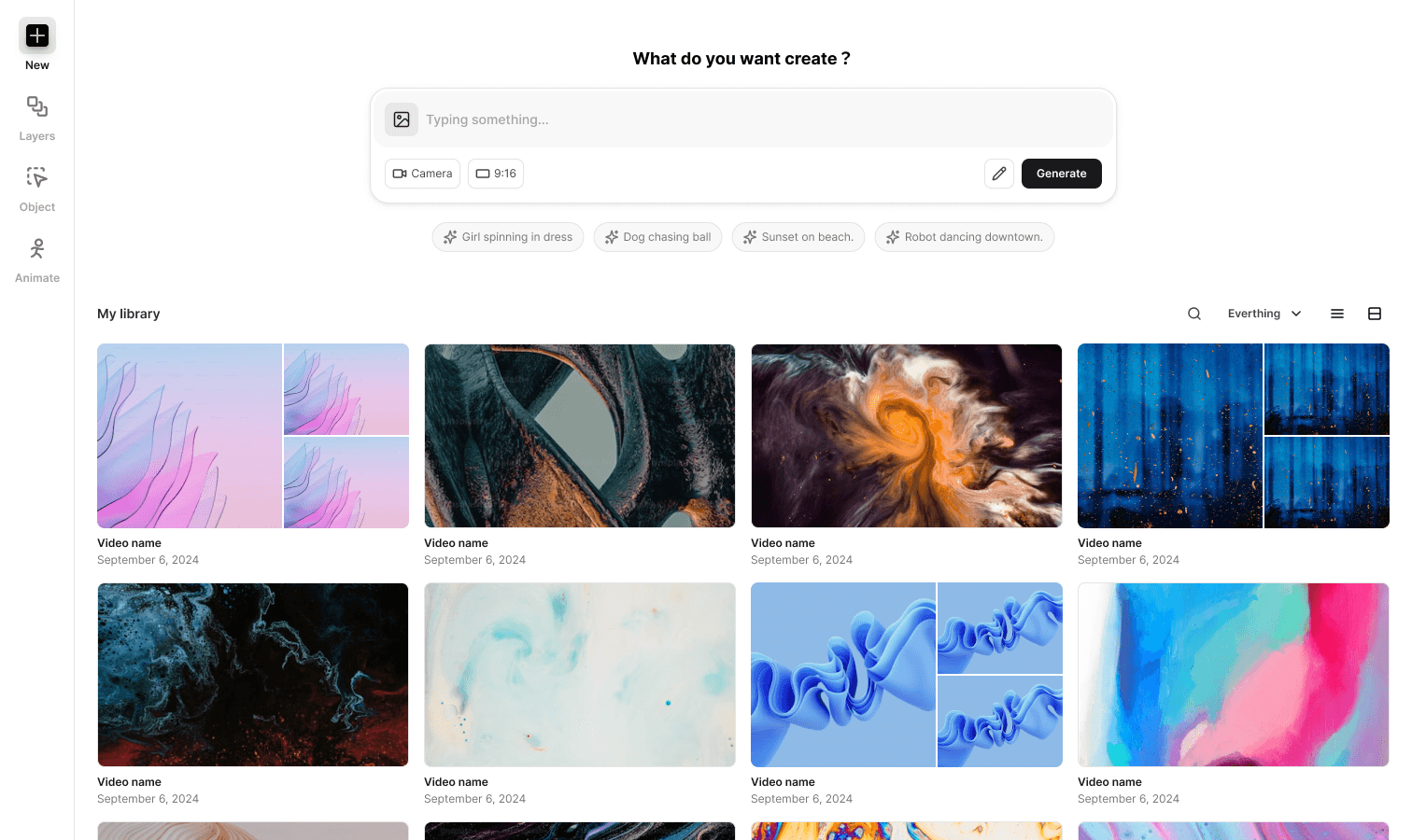
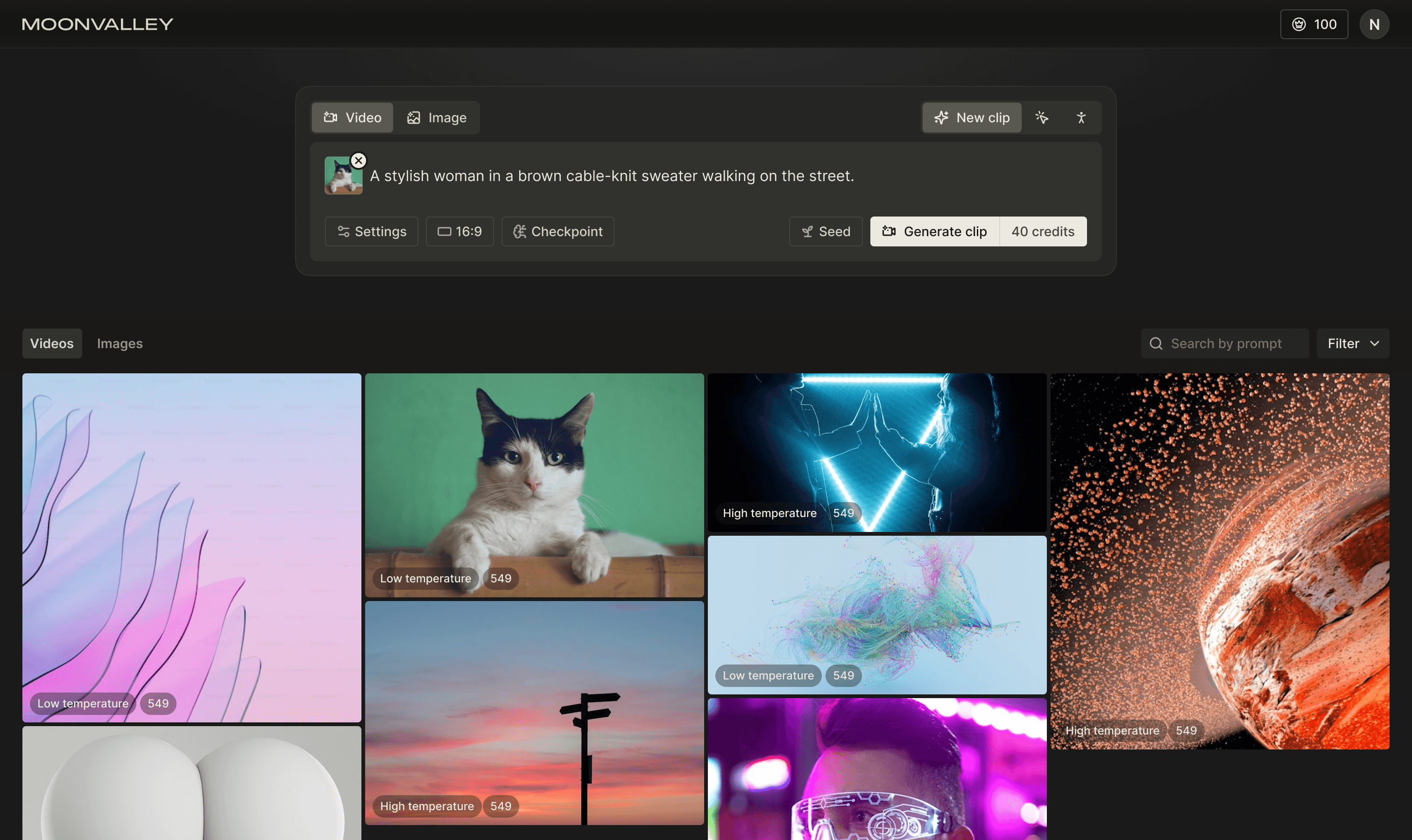
V1 design exploration
Team collaboration and feedback
As a Hollywood-based filmmaking team Asteria joined the project, we gathered ongoing feedback to align the product with real production workflows. Later we aim to build a platform able to generate, cut and export video, then I am planing new design for that.
At same time, I worked closely with the AI team to understand model capabilities and constraints, ensuring designs were both ambitious and realistic. This combination of filmmaker feedback, technical collaboration, and competitive research informed early design decisions.
V2 design exploration
I introduced a editor, allow user to generate and edit generations. It include video and audio generation with a timeline. I also add early concepts for multi-layer of prompt, Motion/Pose control into it, aim to show main capability of the AI model.
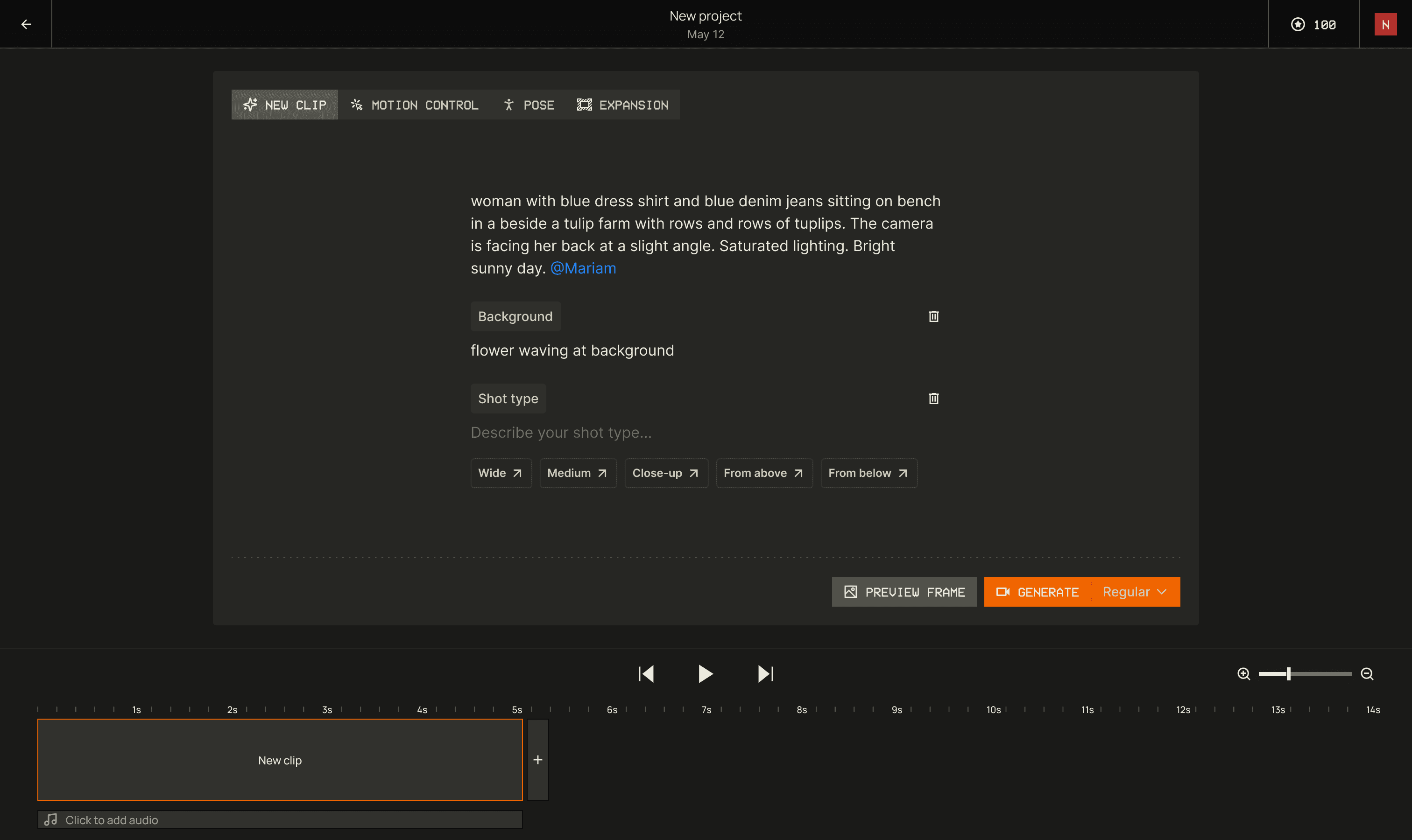
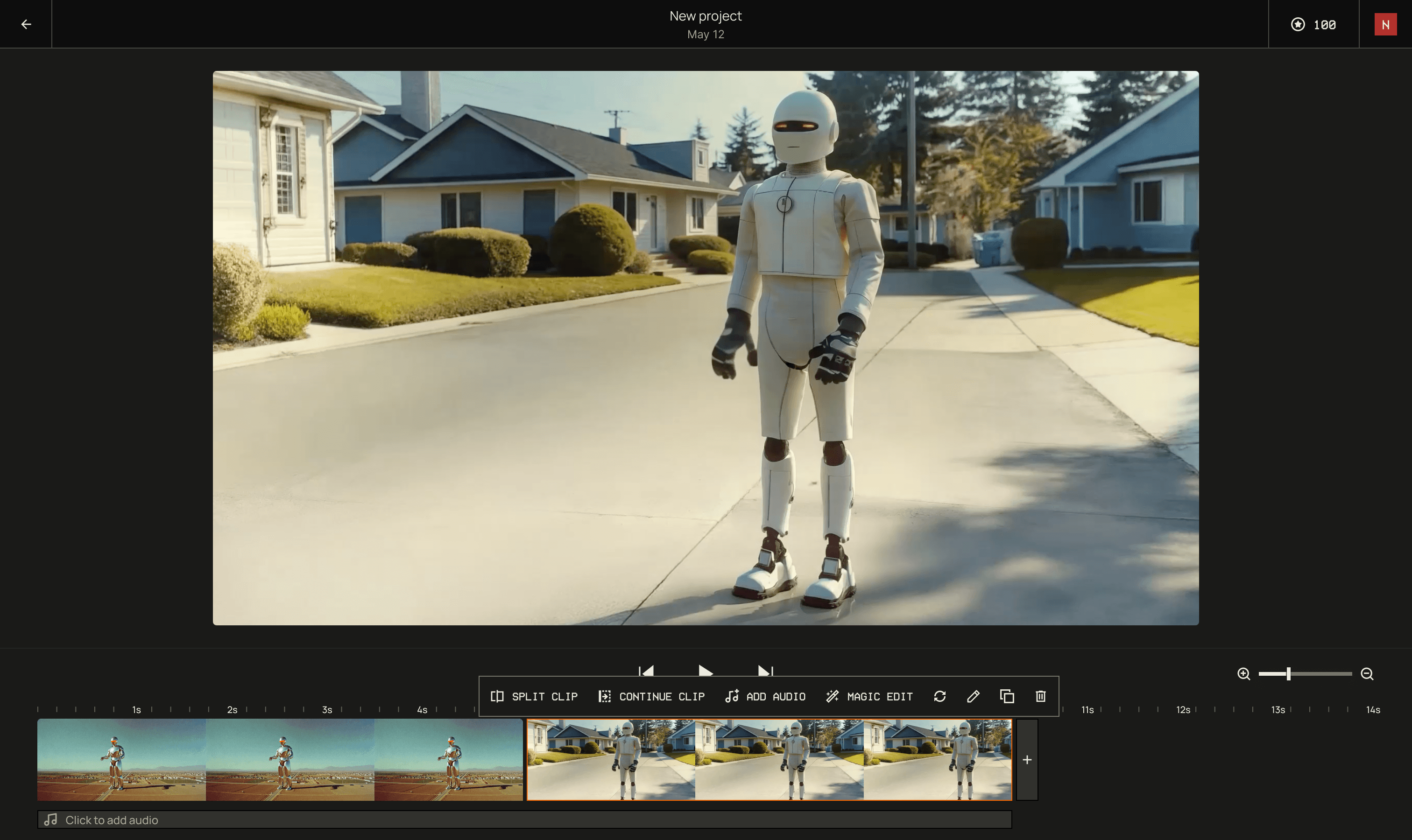
Timeline based video generation tool
Worked with enginer, we build the functional features and it allow user to use it in real. Internal testing revealed several limitations. Early exploration showed that building an all-in-one creative platform in the available timeframe was too ambitious. That required image/video/audio generation, controls, video editing, and character training, while several capabilities were still technically challenging on the AI side.
V3 design direction
After cross-functional review, we narrowed the focus to a more achievable and valuable direction. We aim to build a canvas that focus on video/image generations and idea explorations.
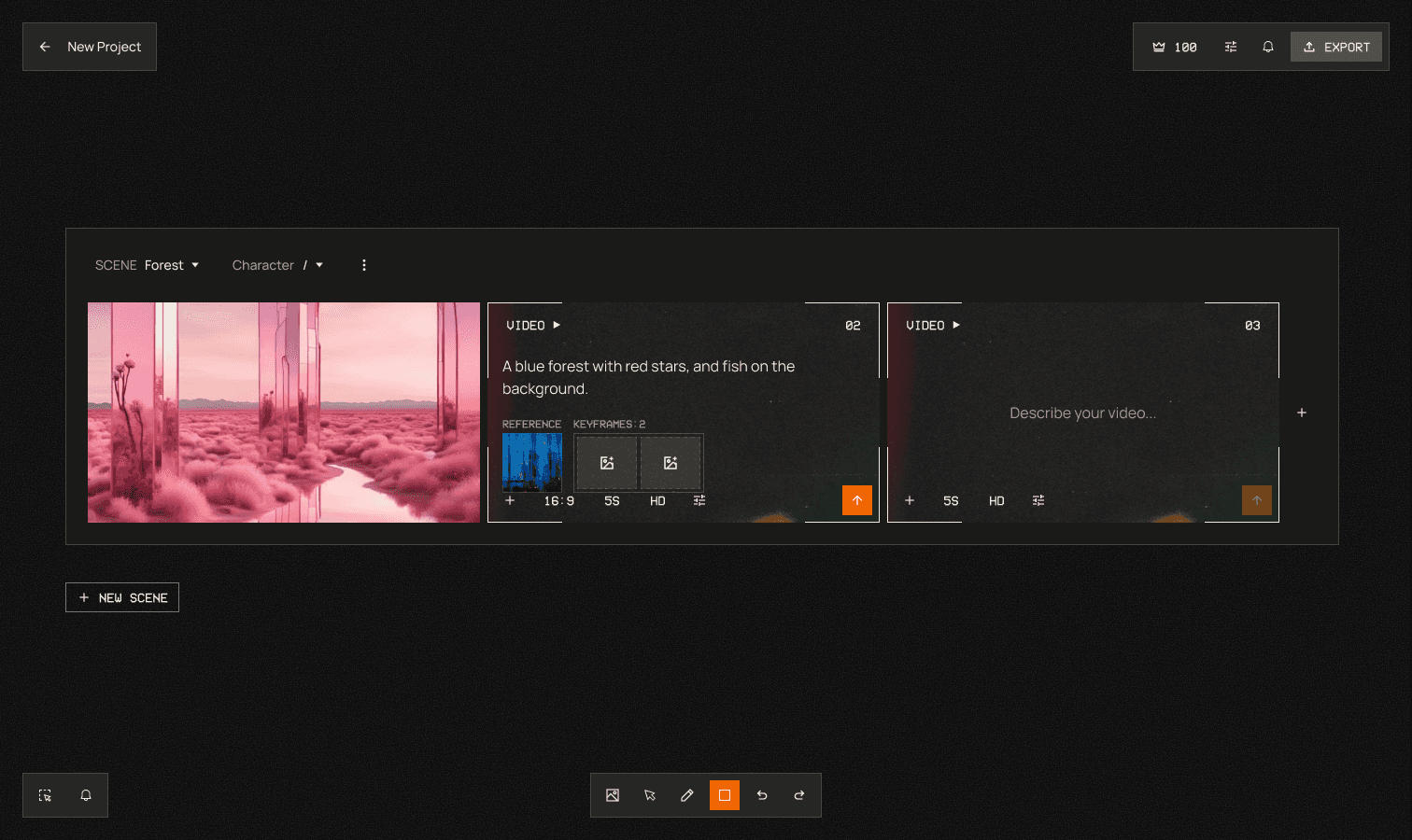
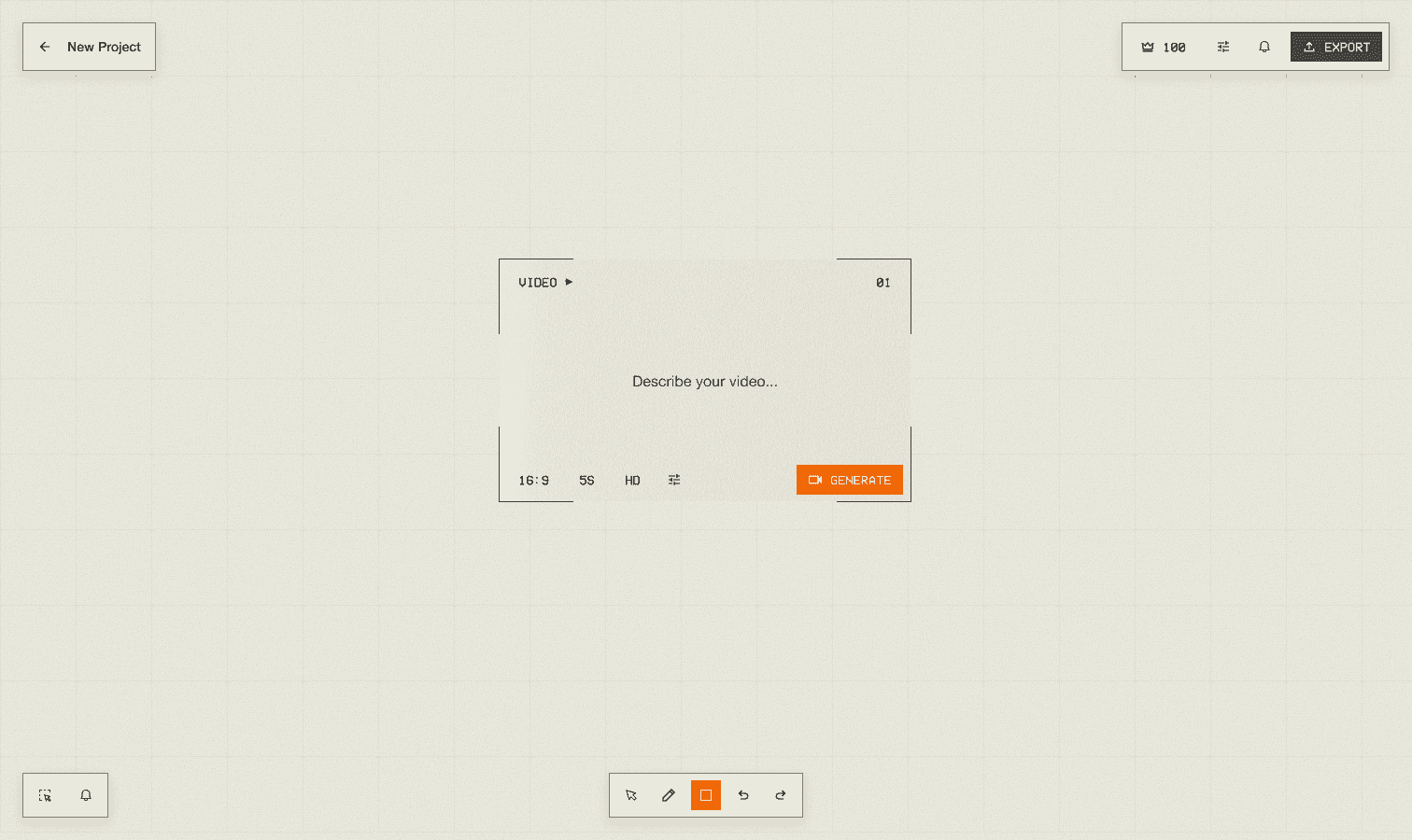
Design concept
This shift simplified the product, improved iteration speed, and better aligned the tool with early-stage creative exploration in professional filmmaking.
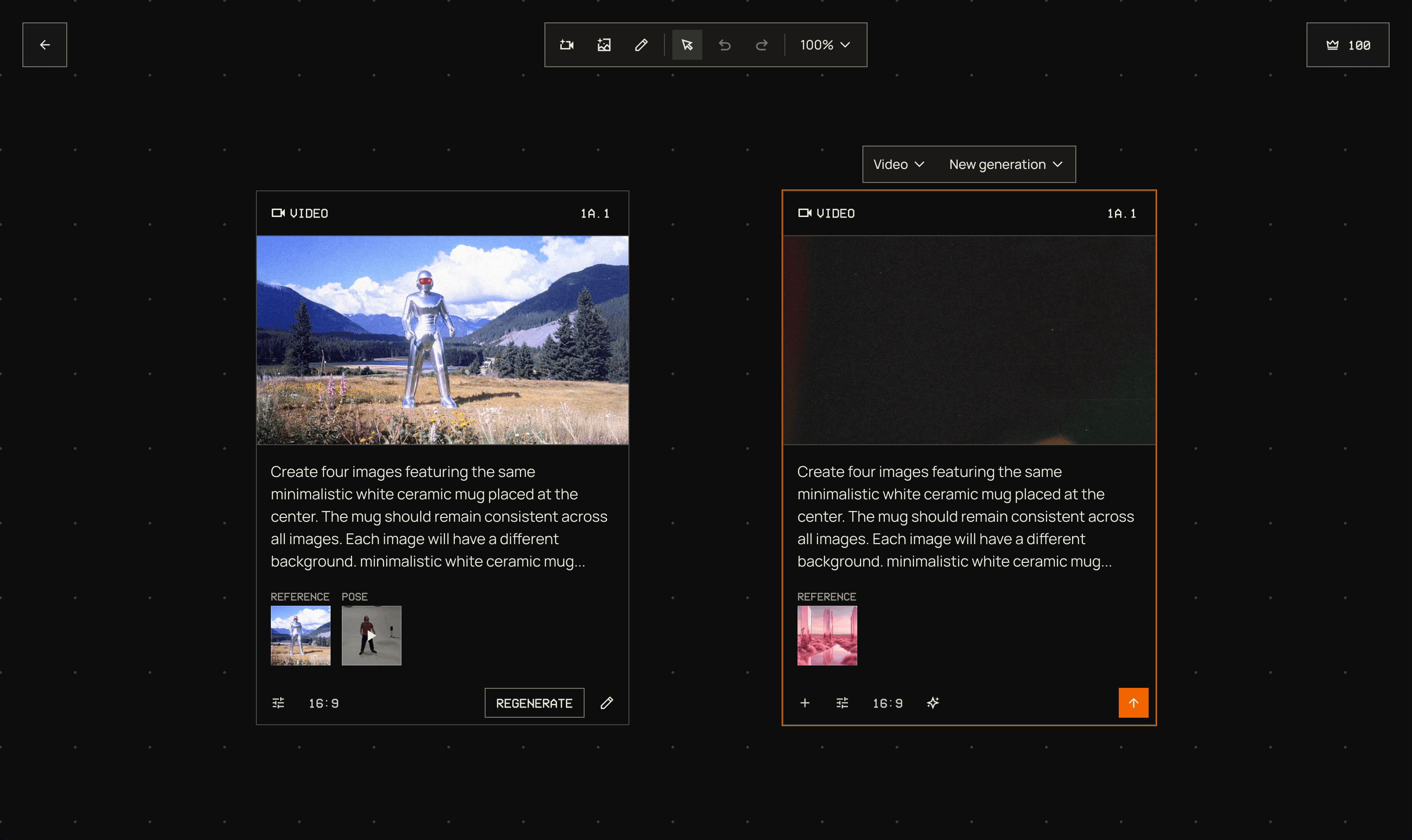
Final design
Usability testing
Our filmmaker team Asteria continuously tested the product during development, generating real content and providing ongoing feedback. This input guided UX improvements and informed future feature planning.
Visual design & Design system
Work with CEO and team, we decided use professional, cinematic, and retro as three principles. I designed and maintained the product’s design system, including typography, color, and core UI components. This ensured consistency and scalability across the application, while the same visual language extended to the marketing website and brand.
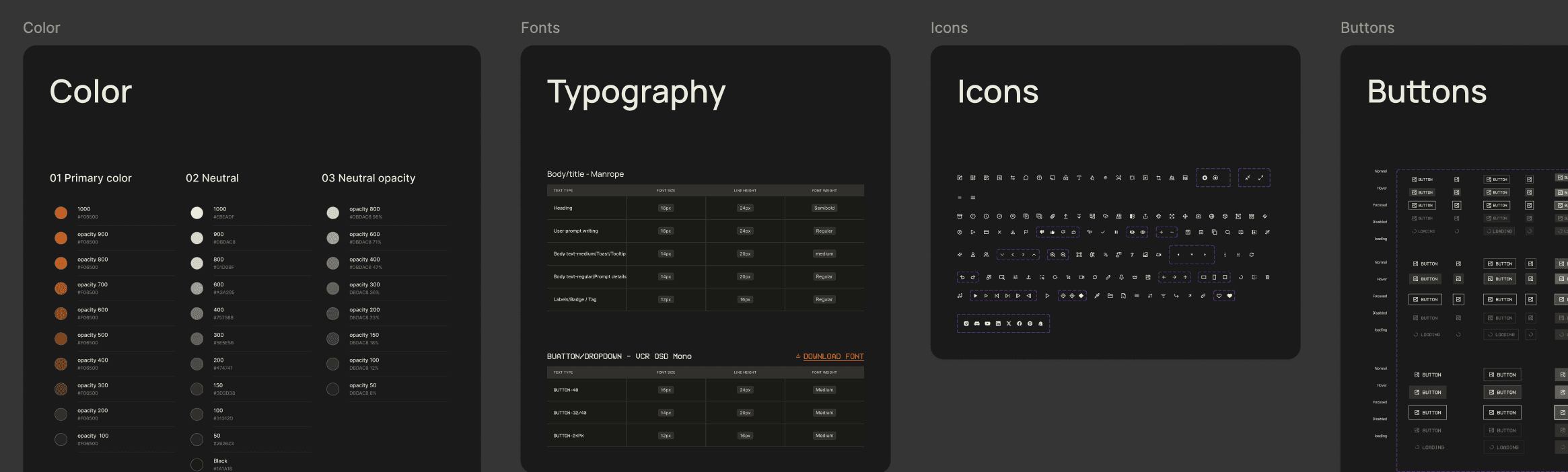
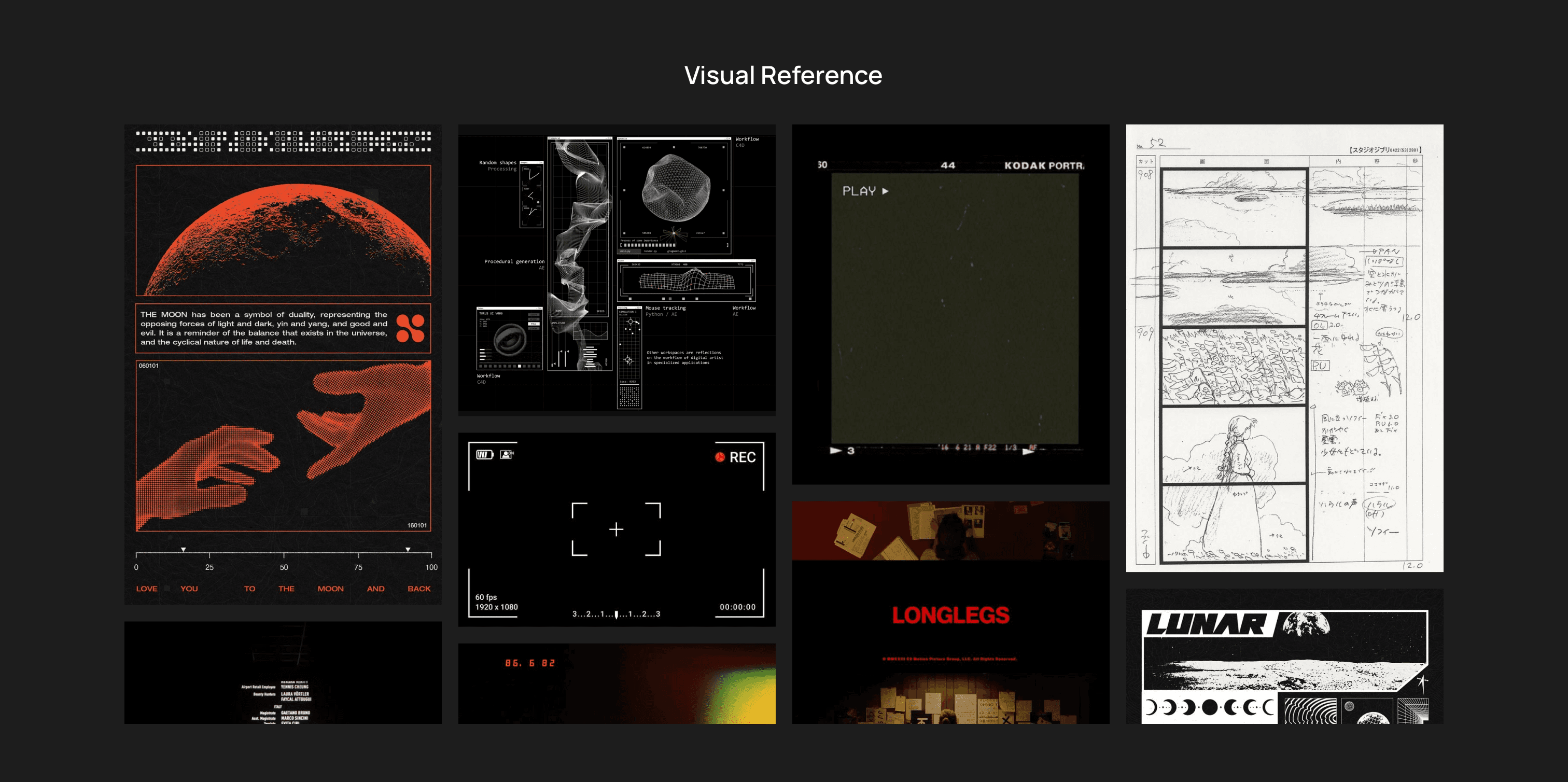
Final designs
As launch approached, it became clear that additional features could be built, but time constraints required focus. Rather than delay, the team chose to ship a simplified, production-ready version to gather real market feedback.
We returned to a V1-style UX flow for clarity, while incorporating improved AI controls and a refined visual system. This approach balanced simplicity with professional capability and allowed the product to launch publicly with paid pricing tiers.
Desktop version
Try Moonvalley here in real.
Generate with multi keyframes
Camera control, allow user change the camera control in 3d space
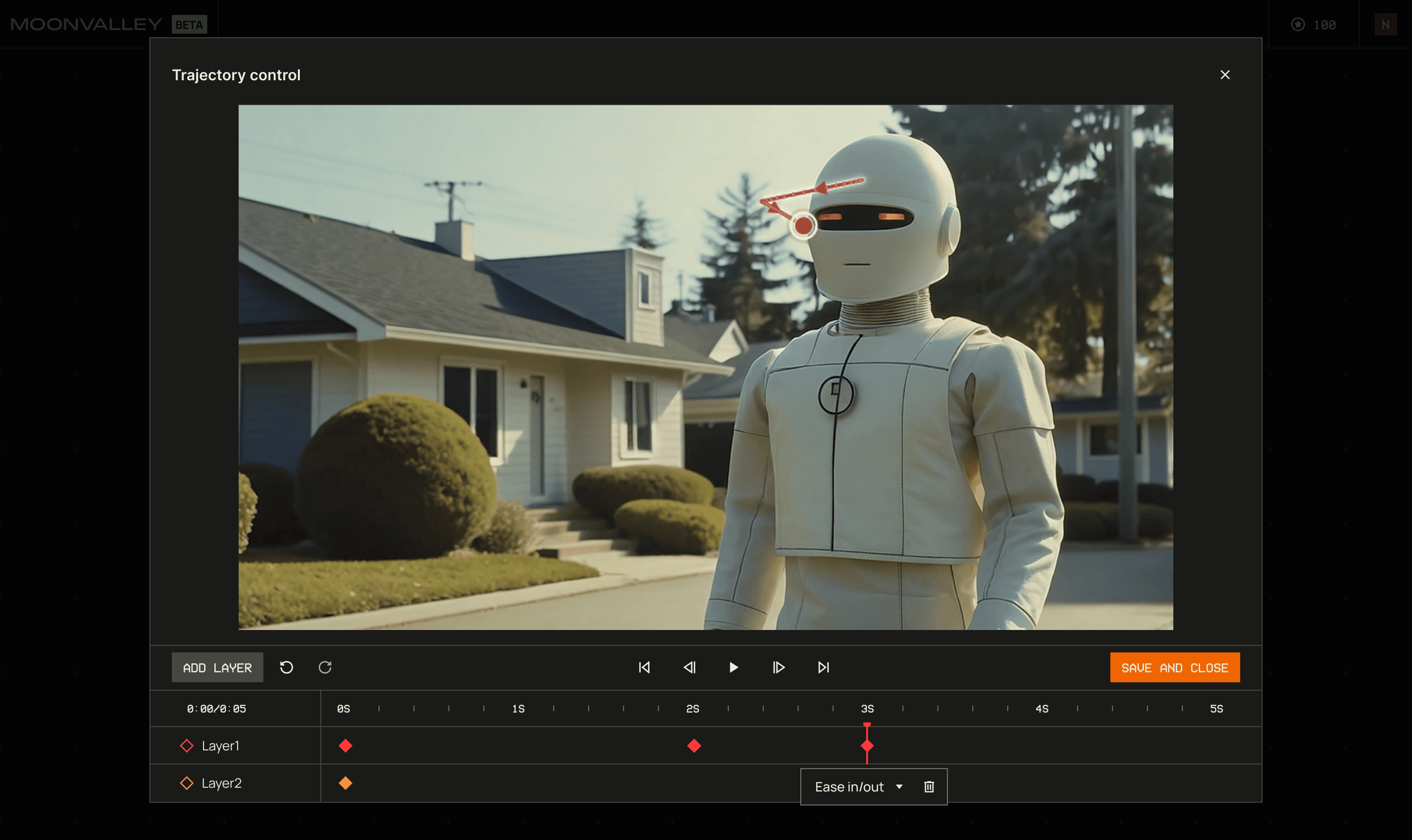
Trajectory control
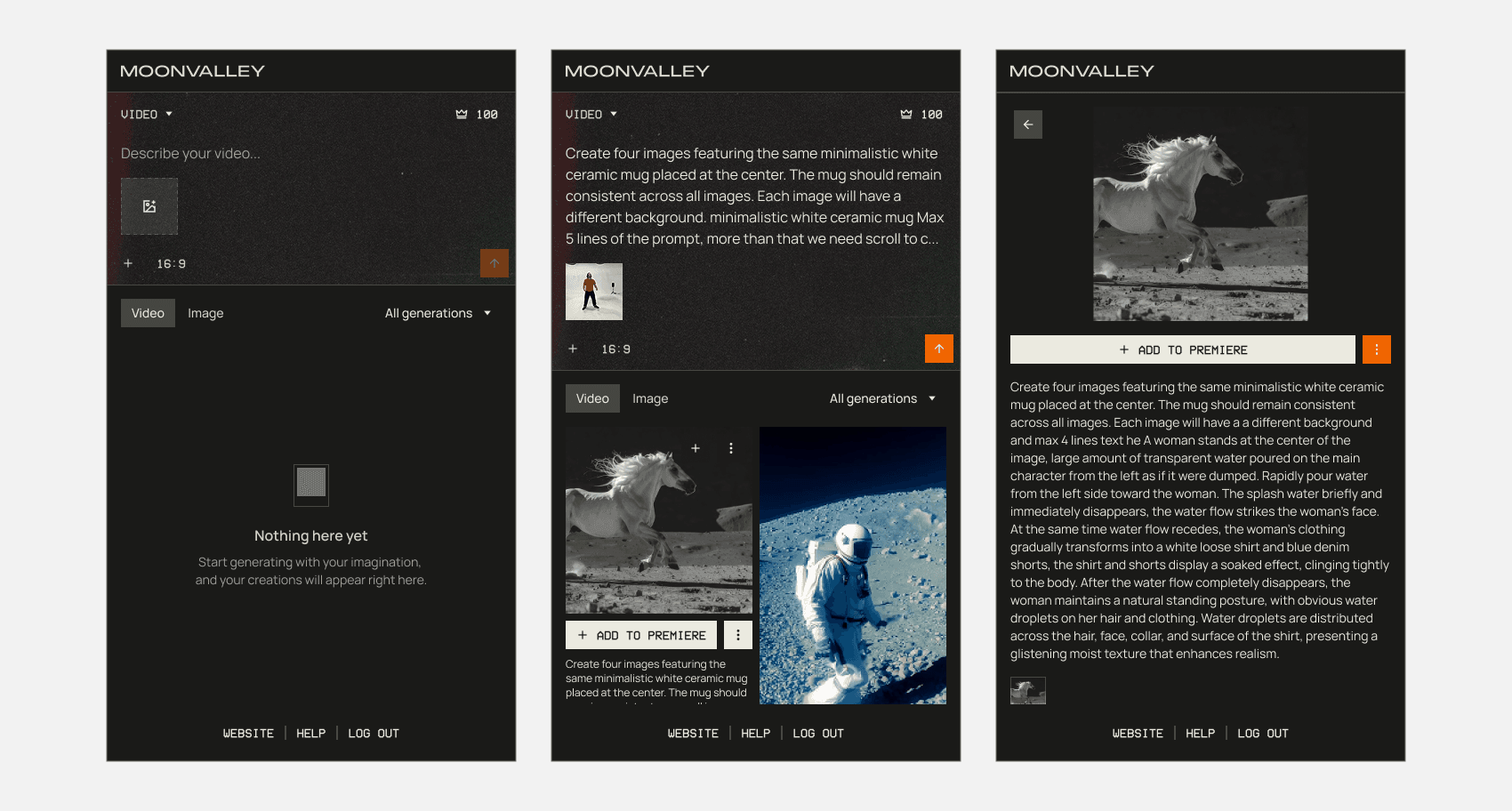
Mobile version
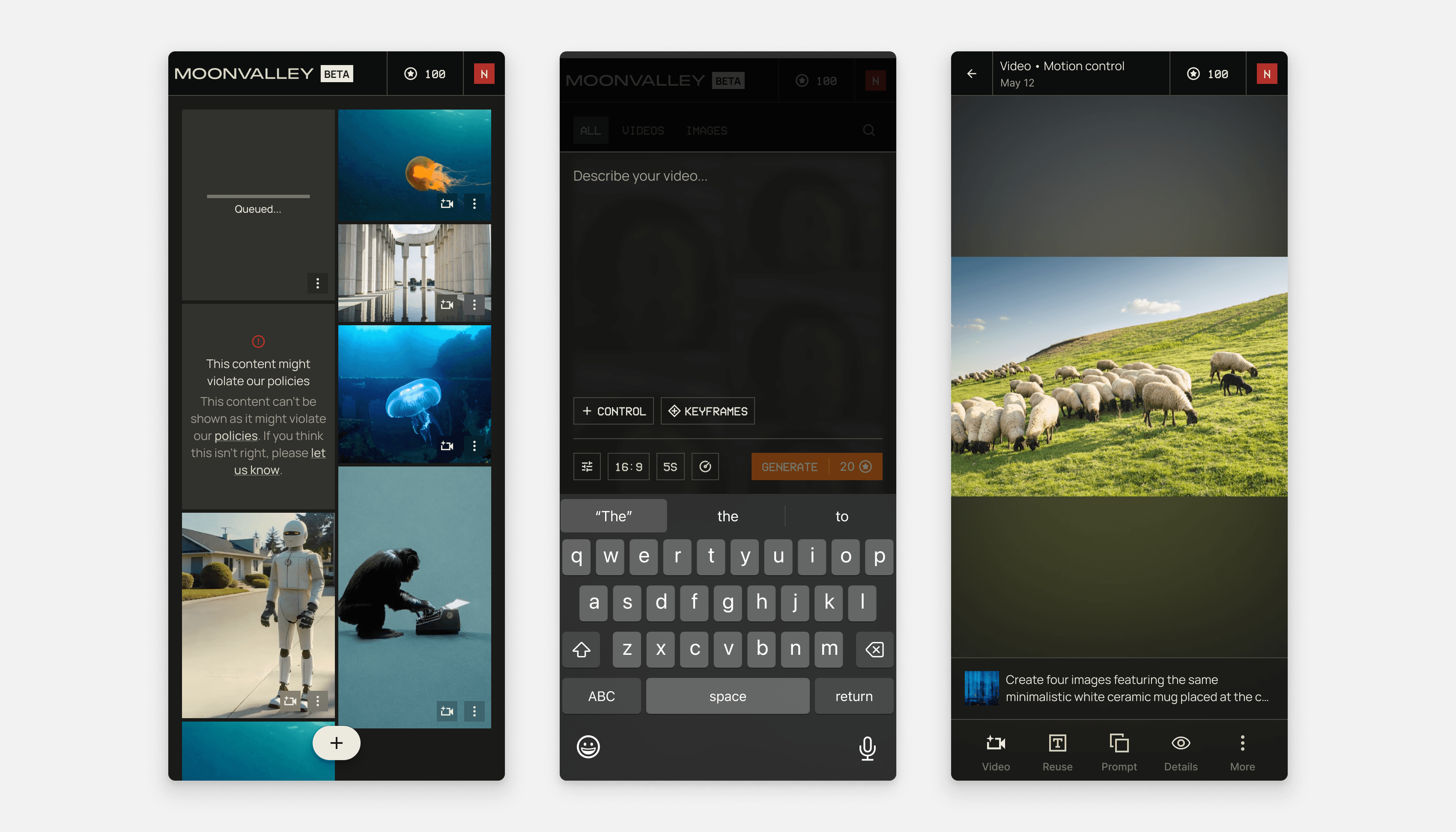
We also launched an integrated version in partnership with Adobe, bringing Marey to Firefly and embedding Adobe Firefly image generation directly into Moonvalley’s professional filmmaking workflows.
Moonvalley in Adobe